
Which PDF works
One .pdf up to 100 MB per run: a contract, invoice, report or certificate. Take it from your computer or phone, Google Drive, Dropbox or a direct link. Its pages, text and signatures stay exactly as they were.

Add attachments to a PDF in seconds, right in your browser. Embed a spreadsheet, image or any other file inside the PDF so it travels with the document, and your pages stay as they are.
or drag PDF files here
Up to 1 file
It takes under a minute, and the pages of your PDF stay exactly as they were. You work with one PDF at a time and can attach a single file or several in one go.
One .pdf up to 100 MB per run: a contract, invoice, report or certificate. Take it from your computer or phone, Google Drive, Dropbox or a direct link. Its pages, text and signatures stay exactly as they were.
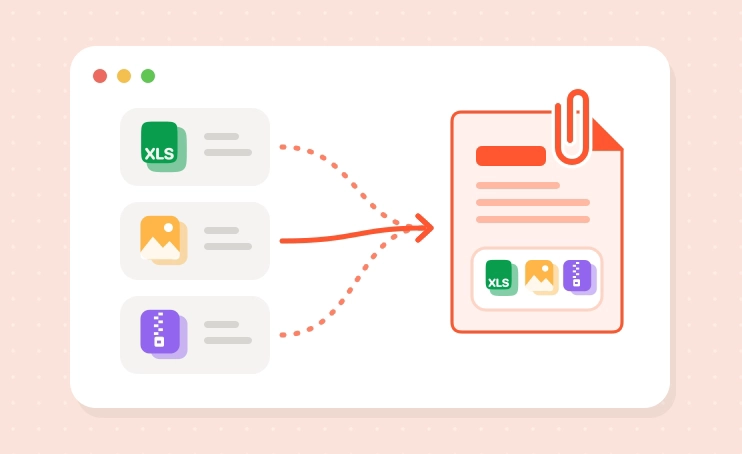
Any file type, one or several at once: Excel and CSV spreadsheets, Word documents, PNG and JPG photos, ZIP archives. They are embedded in the PDF without conversion, so the recipient opens them in the original format and can, say, recalculate a quote right in Excel.
Attachments are added in a few seconds and no extra pages appear in the document. If you need it, the PDF is saved as PDF/A-3b, the long-term archiving version of the standard that allows embedded files, which makes it a good fit for electronic archives.
You get the same PDF with the files inside and no watermark. Adobe Acrobat Reader and Foxit show them in the Attachments panel or behind the paperclip icon, while the built-in viewers in Chrome and Edge don't, so check the document in Acrobat before sending. Your files are not stored on our servers.
Attaching files is often one step in putting a bigger document together. These tools work the same way: in your browser, free, with the same limits.

Want the appendix to appear as pages rather than a file inside? Merge PDF joins several PDFs into one document, page after page, so everything can be read and printed in order.

Attachments travel with the PDF, so anyone who opens it can save them. If the bundle holds salaries or client data, lock it with Protect PDF before you send it.

Need the figures visible on the page, not just attached? Convert the spreadsheet with Excel to PDF or the document with Word to PDF, then merge it in or attach the original as well.
Attachments sit inside the PDF as separate files, much like attachments in an email. The pages don’t change, and anyone who has the PDF can open or save the embedded files.

Excel and CSV spreadsheets, Word documents, images, ZIP archives and other formats are embedded as they are. Each file keeps its format and opens in its usual program.

PDF/A-3 is the archiving version of PDF that allows embedded files. Tick the option for records you need to keep for years. Hybrid e-invoice formats with embedded XML are also based on PDF/A-3.

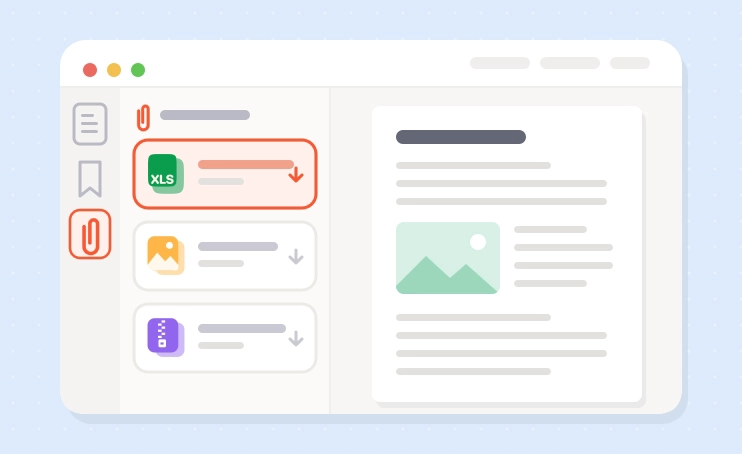
In Adobe Acrobat Reader or Foxit PDF Reader, open the Attachments panel or click the paperclip icon. The built-in viewers in Chrome and Edge usually don’t show attachments, even though the files are there.

An attachment is a separate file inside the PDF, and the pages stay the same. To add pages from another PDF, use Merge PDF. To turn photos into PDF pages, use JPG to PDF.
Yes. PDFs up to 100 MB are free, up to 30 times a day, with no account and no watermark. BadPDF Pro, coming soon, lifts the daily limit and the 100 MB cap, adds batch processing, runs OCR on scans without limits, removes ads and puts your files at the front of the queue.
Reports with the source data. Send a monthly report as a PDF with the Excel spreadsheet behind the charts embedded inside. Your manager reads the report and can still check the numbers.
Quotes and invoices. Attach the cost breakdown or a CSV of hours worked to a quote or invoice, so the client gets one file instead of three.
Contracts with appendices. Keep a signed contract together with its schedules, floor plans or photos, so nothing gets lost in a long email thread.
Self Assessment records. Keep a yearly PDF summary with scanned receipts and bank statement exports attached, so everything HMRC might ask for sits in one file.
Research and design work. Embed the raw data with a dissertation chapter, or the source files with a design proof for a client.
Preparing a document pack? Merge PDF files to add pages, convert Excel to PDF or Word to PDF when the content must be visible on the page, turn photos into a PDF, and password-protect the PDF before sending it.
Adding attachments is free for PDFs up to 100 MB, up to 30 times a day, with no sign-up and no watermark. We don’t keep your PDF or the files you attach.
BadPDF Pro will lift the daily limit and the file size cap, add batch processing, unlimited OCR for scans, an ad-free workspace and priority processing.
Browse every tool in the BadPDF catalogue.